Content creator
Turn a short, expressive recording into narration for explainers, reels, or podcast intros.
Produce consistent voice clone audio without rerecording every line.
voice clone online freeVoice workflow
Learning how to clone my voice with ai starts with a clean recording, a clear purpose, and permission to use the speaker's voice. This guide explains the process from preparation to review.
Voiceclone is a guide; the action opens Supavocal. New accounts receive 1,000 one-time welcome credits. Sign in there, upload 10–30 seconds of clean single-speaker speech and enter a short script. The queued voice-conditioned preview usually takes about a minute; it does not train a persistent voice model.
Create a warm, natural narration in my recorded voice for a 30-second welcome message.
This is a static script illustration, not an input. No text is submitted here; enter your script at Supavocal after sign-in.
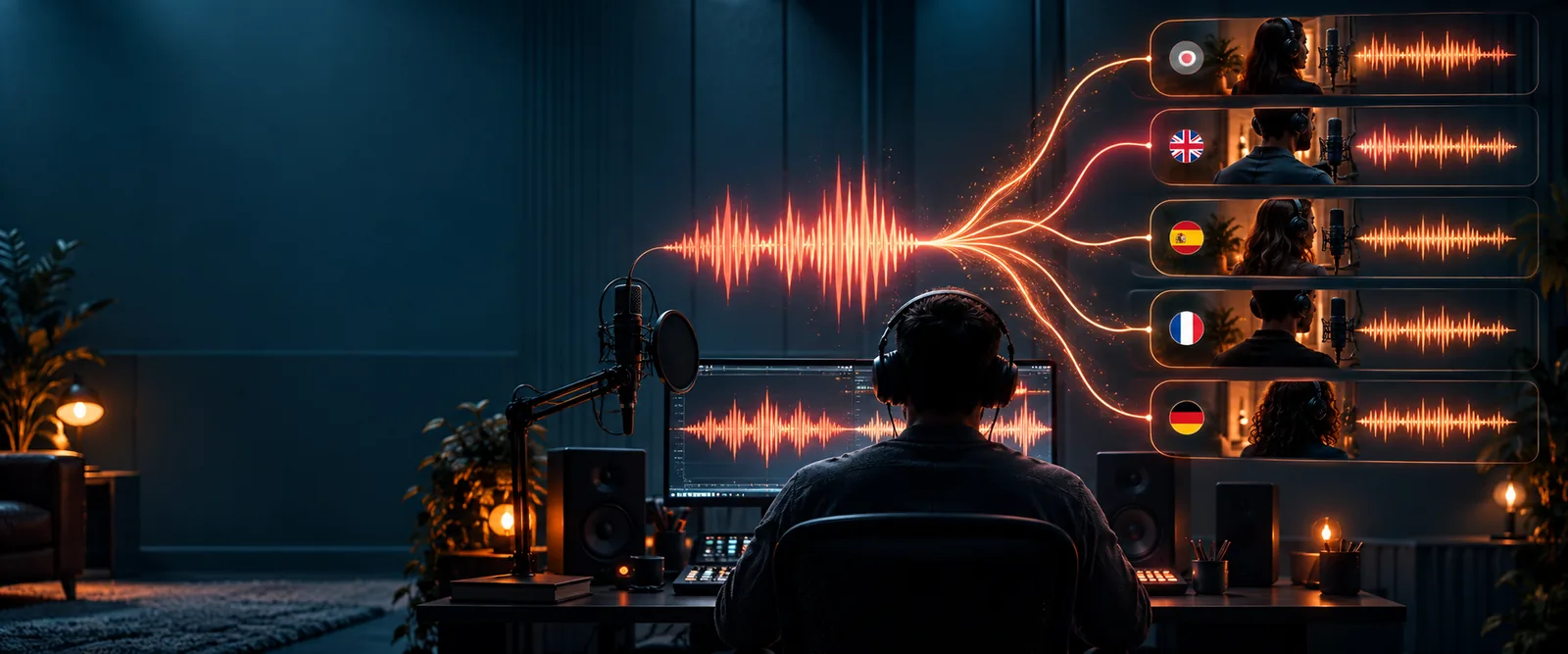
The easiest workflow separates recording, voice creation, and script review so each stage can be checked before the next one.
Turn a short, expressive recording into narration for explainers, reels, or podcast intros.
Produce consistent voice clone audio without rerecording every line.
voice clone online freePrepare a lesson introduction or pronunciation example from a controlled sample of your own speech.
Keep course audio consistent while revising scripts more efficiently.
clone voice from audio fileUse a finished video script and a reference recording to create replacement narration.
Match the intended pacing before placing the track into an edit.
clone voice from videoDraft a short announcement or accessibility track from an Android device.
Move from a quick recording to reviewable speech without a desktop setup.
voice clone for androidA dependable voice clone comes from better inputs and deliberate review, not simply from uploading the longest recording available.
Record in a quiet room with one speaker, steady distance from the microphone, and a natural speaking pace. Remove long silences, music, room echo, and accidental interruptions before uploading.
Use a representative sample, then generate a few sentences with varied sounds, pauses, and emphasis. Start with a short passage so pronunciation problems are easy to spot.
Listen for names, numbers, breaths, rhythm, and emotional fit. Adjust the script or reference sample, regenerate the weak lines, and only then place the approved audio in your project.
Once the basic workflow works, small improvements to recording technique and script design can make the result more stable and natural.
The difference between a rough reference and a production-ready result usually appears in consistency, not in the amount of audio alone.
Use the before-and-after check to catch problems before publishing.
An AI voice workflow has boundaries. Knowing what it cannot guarantee helps you set the right expectations and choose a safer workaround.
Heavy echo, clipping, background speech, or inconsistent microphone distance can carry into the generated result.
WorkaroundRecord again in a quieter space, keep the microphone position steady, and use the clearest section rather than the longest one.
Unusual names, specialist terms, mixed languages, and uncommon pronunciations may need repeated testing.
WorkaroundSpell difficult words phonetically, split the script into shorter lines, and listen to every proper noun before release.
A technically successful voice clone does not establish consent, ownership, or permission to imitate another person.
WorkaroundUse your own voice or documented permission, disclose synthetic audio where appropriate, and avoid deceptive impersonation.
Generated speech may have subtle timing, emphasis, or emotional errors that are easy to miss when reading the script silently.
WorkaroundListen with the video or surrounding content, check the transcript against the audio, and ask another person to review important material.
Use this comparison to decide whether to optimize the recording first or move directly into generation and review.
Quick reference
Production reference
Quick reference
Quiet room with limited background noise
Production reference
Treated or controlled space with consistent acoustics
Quick reference
Mostly steady, with minor movement
Production reference
Fixed distance and microphone position throughout
Quick reference
Natural conversational speech
Production reference
Natural speech with deliberate pacing and varied emphasis
Quick reference
A short sample with common words
Production reference
A representative range of sounds, names, numbers, and sentence lengths
Quick reference
Trim obvious silence and interruptions
Production reference
Clean noise, remove artifacts, and organize approved takes
Quick reference
Check that the main idea is understandable
Production reference
Check pronunciation, timing, emotion, disclosure, and context
Quick reference
Early experiments and private drafts
Production reference
Published narration, lessons, demos, and client-facing media
Bring a clean sample and a short script into a focused voice workflow. Start with one low-risk use case, listen closely to the result, and refine the input before expanding the project.
Continue to SupavocalThese answers address the practical questions people ask when learning how to clone a personal voice with AI.
Start with a clean recording of your own voice, ideally in a quiet room with steady microphone distance. Upload or provide that reference, generate a short test script, and review pronunciation, pacing, and tone before creating longer audio.
Use natural sentences that cover different sounds, word lengths, pauses, numbers, and common names. Speak clearly without exaggerated acting, background music, or other people talking over you.
There is no single ideal duration for every tool, so prioritize clarity and variety over raw length. A short, clean, representative sample is more useful than a long recording with echo, interruptions, or inconsistent volume.
AI can reproduce recognizable qualities such as timbre, rhythm, and speaking style, but results vary with the recording, language, script, and generation system. Always listen to the output because pronunciation and emotion may differ from your natural delivery.
The main risks involve consent, identity misuse, unauthorized sharing, and deceptive impersonation. Use your own voice or documented permission, protect reference files, disclose synthetic audio when appropriate, and review where the generated files will be used.